Gap Good Rewards emails
A storyboard of my work on Gap Good Rewards, built under Gap’s Integrated Loyalty Program (ILP): the member programs, the rewards modules in the daily emails, the tests and the QA. Each step shows what happens, with an example, and what my part was.
- Where
- Gap Inc, as Email Developer
- Program
- Gap Good Rewards (ILP)
- Brands
- Gap, Gap Factory, Gap Factory Canada
- Tools
- Salesforce Marketing Cloud, AMPscript, Litmus
Images are from Gap Factory emails I built in 2023. Names and member data are test data.
-
Step 1 · The program
One rewards program, every brand
Gap Inc. moved its brands onto one rewards program, Gap Good Rewards. Every Rewards Member had a tier (Core, Enthusiast or Icon), points and rewards, and some also had a Gap Good Rewards credit card. The emails had to show each member where they stood.
My partBuilding the ILP programs and the rewards modules in the daily emails for Gap and Gap Factory, in English and French.What each member hadmember record- TierCore, Enthusiast or Icon
- PointsPoints and rewards
- CardCardmember or not
- GapCashEarner or not
- BrandGap, Gap Factory, Gap Factory Canada
- LanguageEnglish or French
-
Step 2 · The programs
Emails for members
Some Gap Good Rewards emails went out when something happened to the member, not on the promo calendar: joining the program, a birthday, or moving up a tier.
My partCoding the ILP lifecycle programs, with a version for each brand and language.- WelcomeMember joins the program
- BirthdayMember’s birthday
- Tier upgradeMember reaches a new tier
-
Step 3 · The data
One lookup per email
A shared content block, the ILP data lookup, ran once per email: Rewards Member or not, tier, points, rewards and card. Every rewards module read from those results.
My partPulling the shared lookup into each build and using its results to decide what showed.Lookup resultstest member- Rewards MemberYes
- First nameMochi
- TierIcon
- Points499
- Rewards$4
- CardmemberNo
-
Step 4 · The modules
Rewards modules in the daily emails
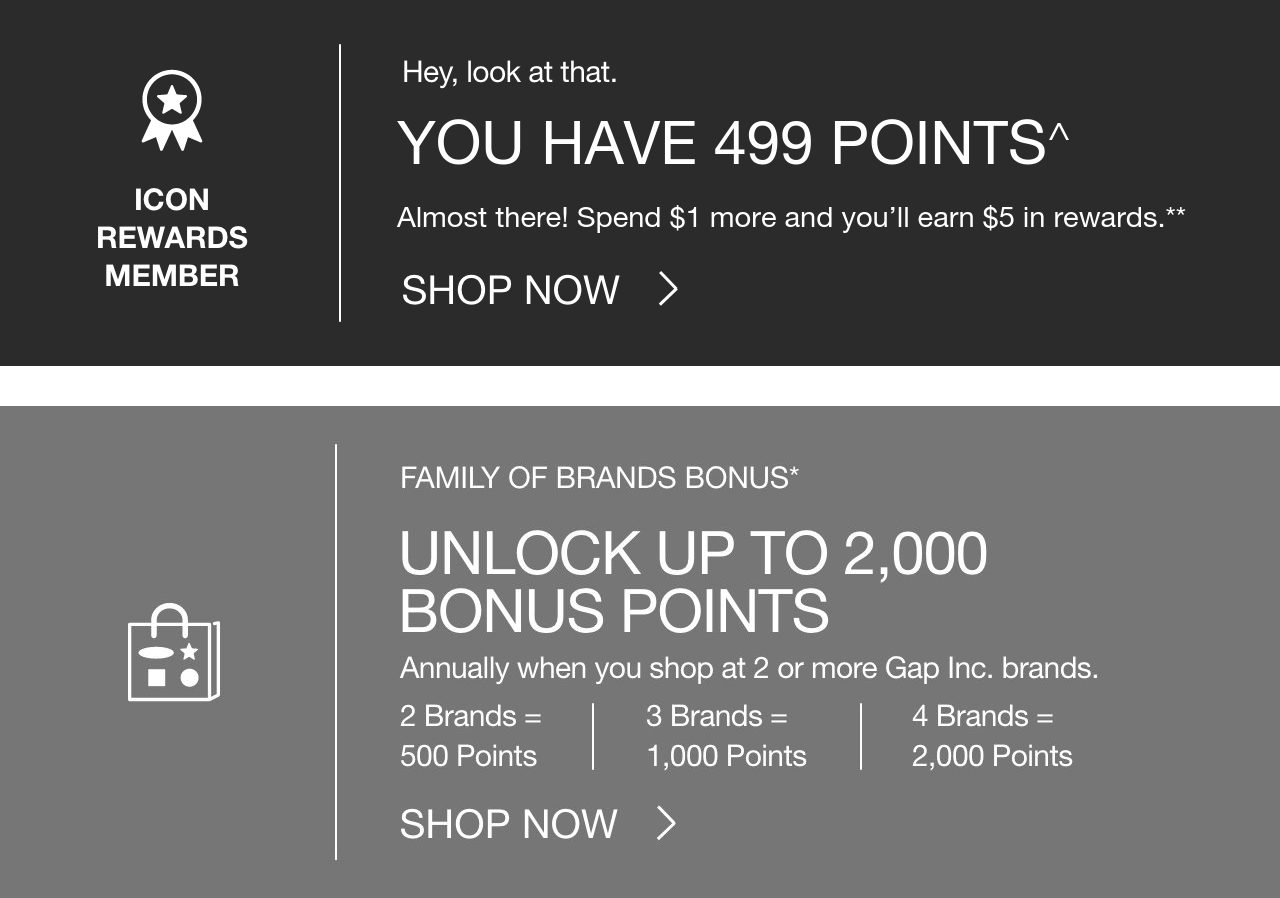
Promos carried rewards modules too. Each one had a toggle at the top of the email, so every send could turn on the status widget, the birthday banner, the cash programs (GapCash) or card acquisition.
My partSetting the toggles for each send and checking each module against the member’s record.Top of the emailper send- Status widgetOn
- Birthday bannerOff
- Cash programsOff
- Card acquisitionOn
In the emailGap Factory, 2023

-
Step 5 · Card acquisition
Apply or manage, by cardmember
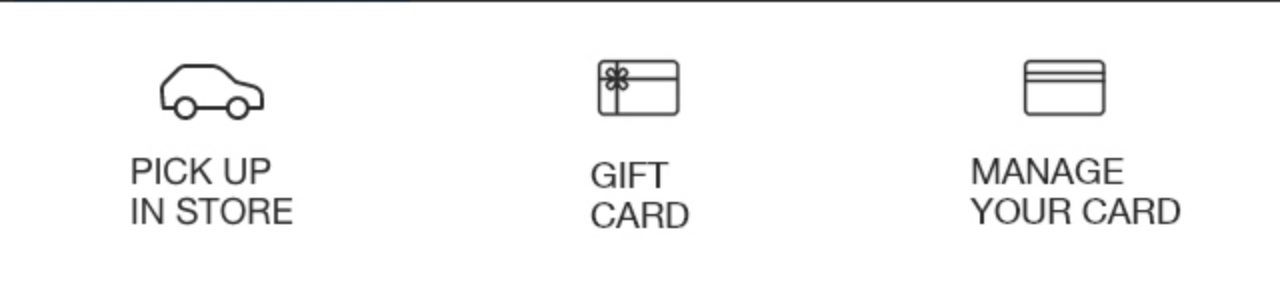
Card acquisition worked off the same lookup. Members without a Gap Good Rewards credit card saw “Apply for a card.” Cardmembers saw “Manage your card.”
My partBuilding the condition that picked the right version for each member.No cardapply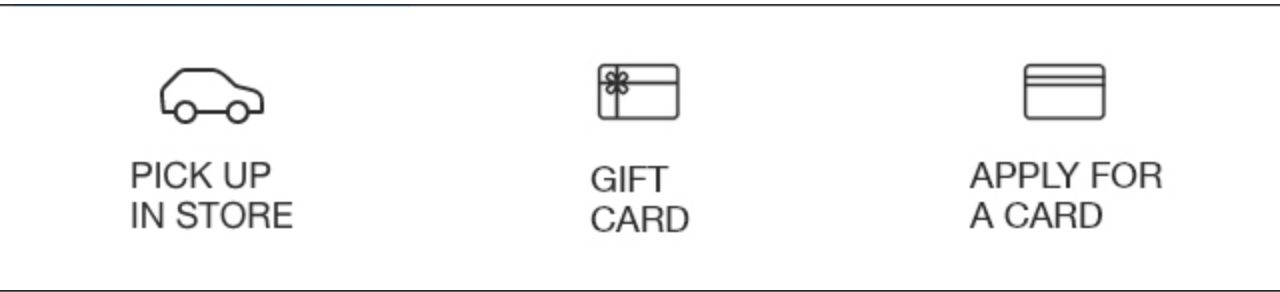 Cardmembermanage
-
Step 6 · Testing
Test and control for Rewards Members
Some sends split Rewards Members 50/50 into test and control groups. Each group got its own code on the email version, so results could be read by group. Non-members got their own split.
My partSetting up the splits in AMPscript and checking each group on test sends.Member split50/50Group Who Version code Test Members LOYALTY…TEST Control Members LOYALTY…CTRL Test Non-members …TEST Control Non-members …CTRL -
Step 7 · The switch
Moving members off legacy rewards
When the legacy rewards program ended, members who still had legacy rewards saw a banner about them at the top of the email through January 2022, in place of the status widget.
My partWriting the date check and the lookup against the legacy rewards data.Who saw whatJan 2022Member Top of the email Has legacy rewards Legacy rewards banner No legacy rewards Status widget After Jan 31 Status widget -
Step 8 · Versions
Every brand, both languages
Each program and module had versions for Gap and Gap Factory. Gap Factory Canada had English and French, and in French GapCash is DollarsGap.
My partBuilding and checking the English and French versions side by side.EnglishGap Factory US- RewardsGapCash
- CopyEnglish
- LegalUS terms
FrenchGap Factory Canada- RewardsDollarsGap
- CopyFrench
- LegalCanada terms
-
Step 9 · QA and handoff
A test record for every member
Every version needed a test record. I previewed each one in Salesforce Marketing Cloud, sent tests, and ran Litmus before handoff.
My partBuilding the test records, checking every version, and handing off to deployment.Test recordswhat each should showTest record Should show Core, no card Status widget, “Apply for a card” Icon, cardmember Icon Rewards Member module, “Manage your card” GapCash earner “Redeem your $” bar with their amount No first name Greeting without a name French, Canada French copy and DollarsGap Checked on every sendbefore handoff- Tier, points and rewards match the test record
- Only cardmembers see “Manage your card”
- Version codes are right for each split
- Links and tracking work
- Renders in Outlook, Gmail, Apple Mail and mobile
Where it carries over
Rewards email works the same way in any industry. Tiers, points and member offers change, but the job doesn’t: look up each member once, show them only what fits, and test every kind of member before the send.