How live email content comes together
A storyboard of how I built widgets and banners in Movable Ink, embedded them in Gap emails in Salesforce Marketing Cloud, and checked them before every send. Each step shows what happens, with an example, and what my part was.
- Where
- Gap Inc, as Email Developer
- Live content
- Countdown timers, geo-targeting, loyalty widgets
- My role
- Building widgets and banners in Movable Ink, embedding them in SFMC, and QA
- Tools
- Movable Ink, Salesforce Marketing Cloud, Litmus
Times and places in the timer and geo examples are illustrative. The steps are the ones I followed. Movable Ink app screenshots are from 2020; the app looks different today.
-
Step 1 · The idea
An image built when the email is opened
A normal email image is the same for everyone and never changes after the send. A Movable Ink image is built at the moment each customer opens the email, so it can show something true right now: time left in a sale, the closest store, a member’s points.
That makes it useful, and it means it can break in ways a normal image can’t.
My partBuilding live content in Movable Ink and adding it to SFMC templates: countdown timers, geo-targeting and loyalty widgets.Normal image vs live imagecomparedNormal image Movable Ink Built Before the send When each customer opens Same for everyone Yes No Can change after the send No Yes Needs a fallback Alt text Alt text and “display images” text -
Step 2 · In the app
Widgets and banners, built in Movable Ink
Live content starts in the Movable Ink app, not in the email. Each campaign holds blocks, and each block is built from apps in the App Gallery: countdown timers, weather, maps, polls, barcodes, data sources and more.
My partBuilding the widgets and banners in the Movable Ink app for Gap emails.Movable Inknew campaign and App Gallery, 2020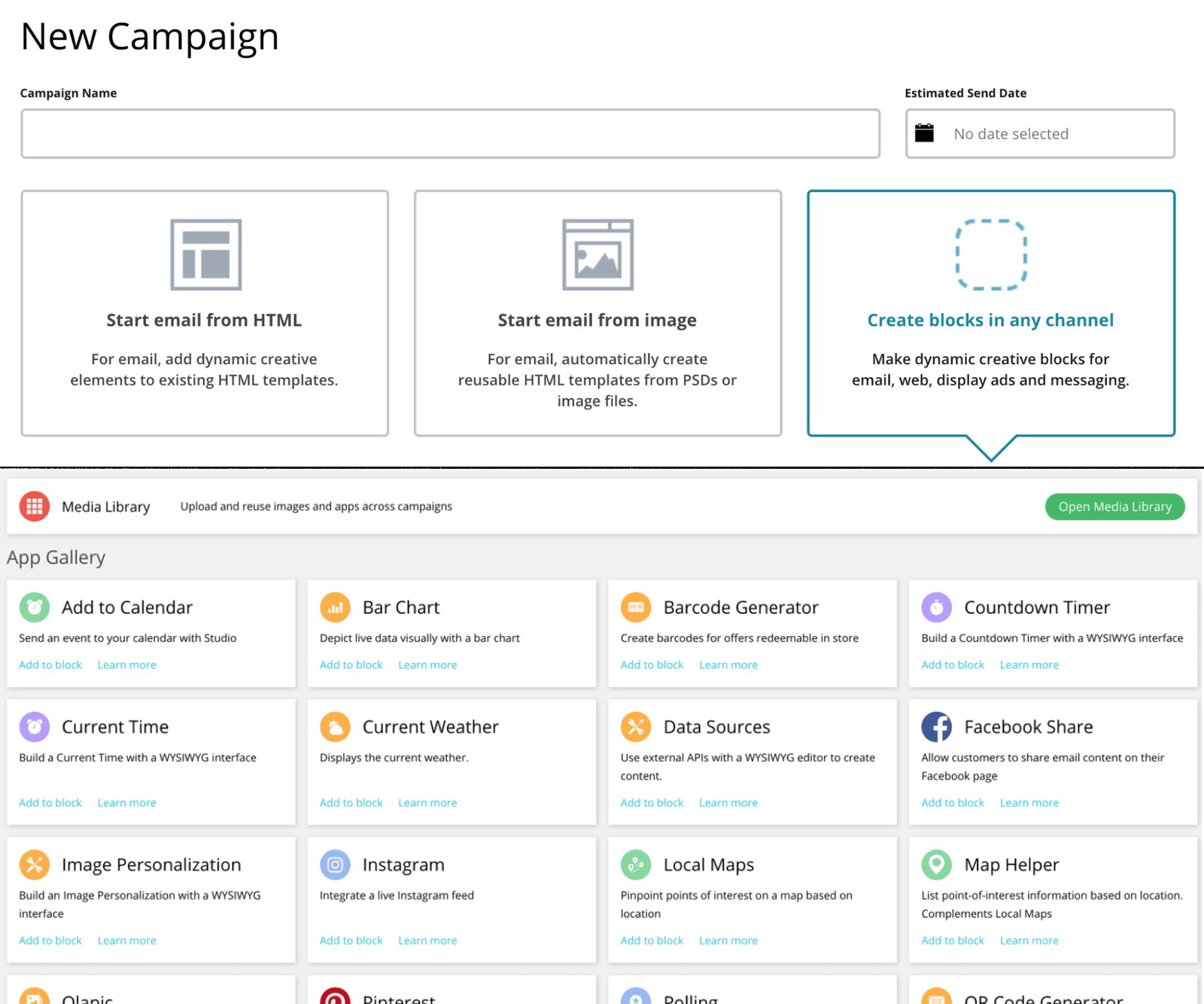
Movable Ink app, 2020. The app looks different today.
-
Step 3 · Building a widget
Layers, a fallback and settings
The block editor works like a small design tool. Text, images and shapes sit on layers. Each block has a size, a click-through link and a fallback image for when live content can’t load. App settings hold things like the timer’s end time.
My partLaying out each widget, setting its fallback image and checking it in the simulator before export.Block editorcountdown timer, 2020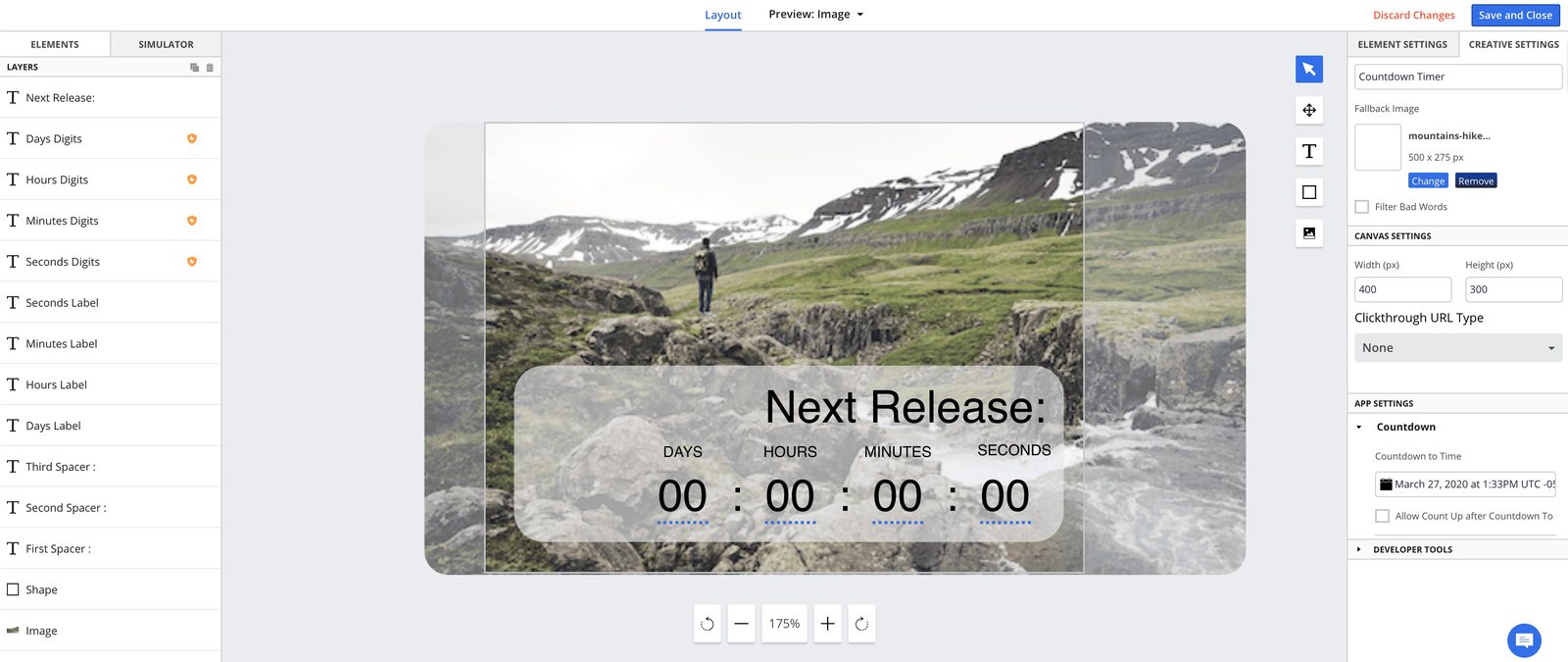
Movable Ink block editor, 2020.
-
Step 4 · What it could do
What Movable Ink could do at the time
Movable Ink grew a lot while I was at Gap. Beyond the App Gallery, blocks could pull from outside data, and Studio added new ways to decide what each customer saw.
My partPicking the right feature for each widget and building it.Features2019–2023- AppsCountdown timer, weather, maps, polls, barcodes
- Data sourcesCSV upload, website or API
- Query parametersData passed in from the email
- TargetingShow content by time, place or data
- CanvasesDifferent creative by rule, such as sale vs regular price
- Creative OptimizerA/B tests inside Movable Ink
Data sources2020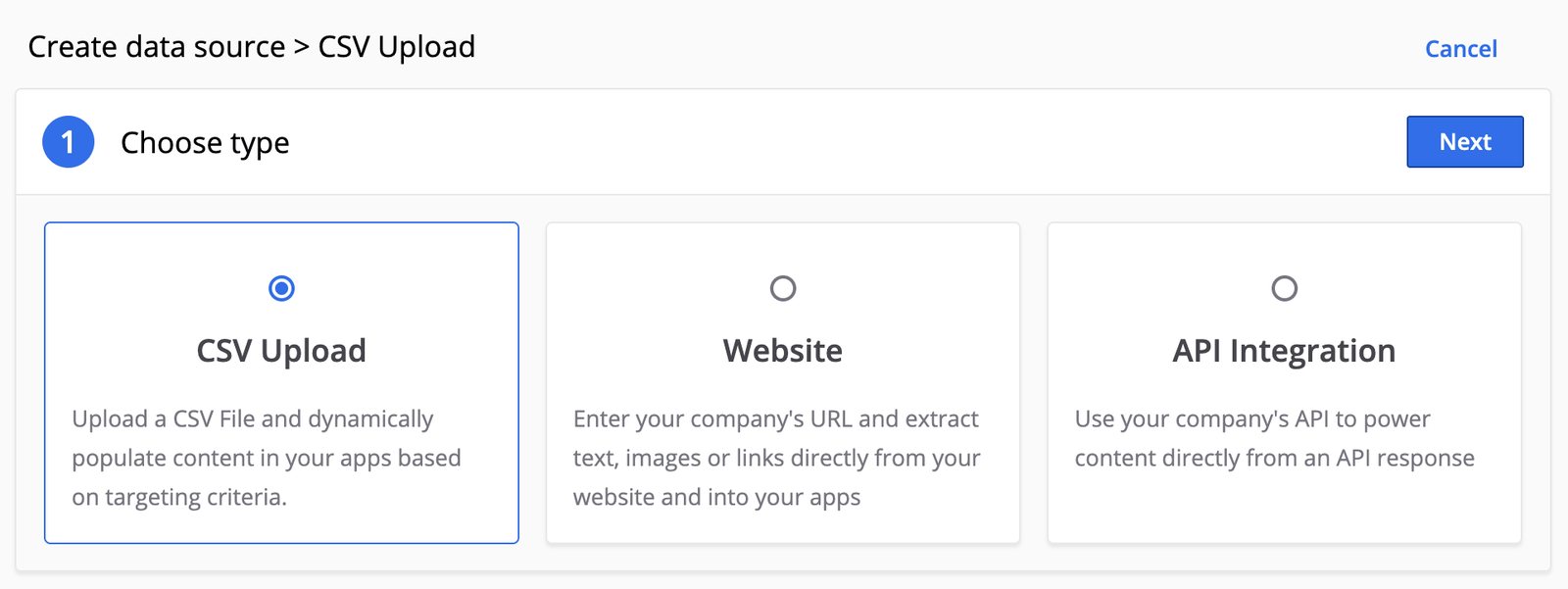
Data source options.
-
Step 5 · Countdown timer
Real urgency, at the moment of opening
A countdown timer counts down to the end of a sale from the moment each customer opens the email. Someone who opens it the morning it lands and someone who opens it the night before the sale ends each see the real time left.
My partPlacing the timer block in the template and checking it showed the right end time.Same email, opened at different timesexampleOpened Timer shows Monday, 9 AM 2 days 14 hrs left Tuesday, 6 PM 1 day 5 hrs left Wednesday, 10 PM 1 hr left After the sale Sale-ended image -
Step 6 · Geo-targeting
The closest store, for each customer
A geo-targeted block shows the store nearest to where the email is opened, so two customers with the same email see different stores.
My partAdding the geo block to the template and checking it showed a store for each test location.Opened in Las Vegasexample- Nearest store: Las Vegas
- Address and hours
- Link to directions
Opened in San Franciscoexample- Nearest store: San Francisco
- Address and hours
- Link to directions
-
Step 7 · Data from SFMC
A widget fed by the customer’s record
Some widgets needed data only the email had. The loyalty status widget is one: the Movable Ink tag carried the member’s tier, points and brand as query parameters, filled in by SFMC at send. Movable Ink turned them into the image at open.
My partBuilding the status widget in Movable Ink and passing the member’s data into it from SFMC.Passed in the tagfrom the real tag- ilp_loyalty_tierICON
- ilp_total_active_pts499
- ilp_brandGPFS
- ilp_widget_version12
- mi_usubscriber key
What the member sawGap Factory, 2023
From a Gap Factory email I built. Name and points are test data.
-
Step 8 · Into the template
The creative tag goes into SFMC
When a block is done, Movable Ink gives a creative tag: an image with a link. I embedded that code in the SFMC template, with its tracking parameters. Some customers have images turned off, so the “display images” fallback text stays in place for them.
My partEmbedding the creative tags in SFMC templates with their tracking parameters and keeping the fallback text.Creative tagsexport, 2020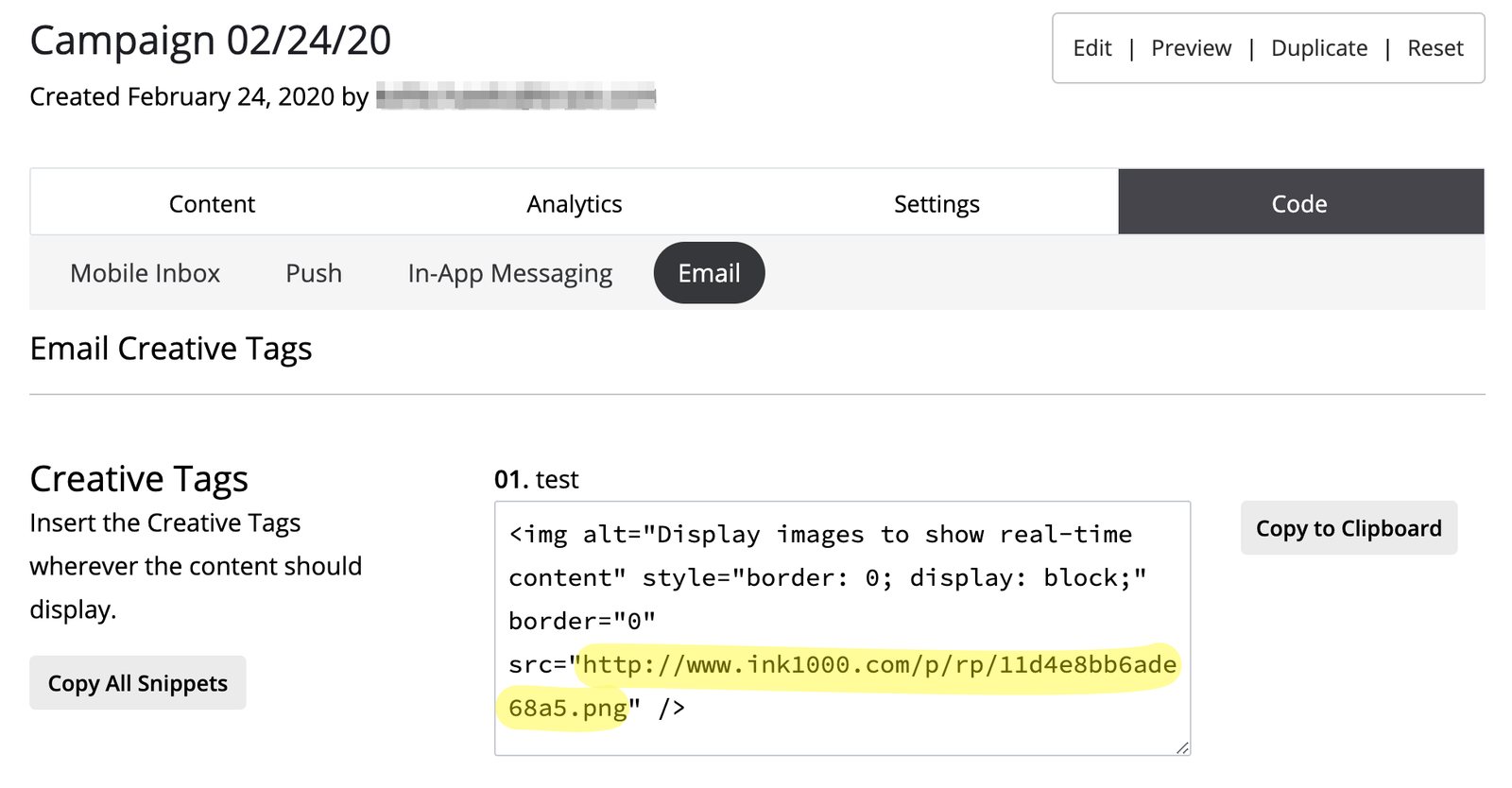
Movable Ink creative tag export, 2020.
<!-- live block: link and image come from Movable Ink -->
<a href="https://mi.example.com/p/rp/…">
  <img src="https://mi.example.com/p/rp/….png"
       alt="Sale ends soon" width="600">
</a>
The link and image addresses here are placeholders. The alt text is what customers with images off see.
-
Step 9 · Spacer images
Fewer impressions from spacer images
Templates used small spacer images to hold the layout. I swapped them out and imported them into Movable Ink, which saved on impressions.
My partReplacing the spacer images in our templates and importing them into Movable Ink.Spacer imagesbefore and after- BeforeSpacer images in the templates
- ChangeSwapped out and imported into Movable Ink
- ResultSaved on impressions
-
Step 10 · A/B test
Test whether live content helps
Live content can be tested like anything else in an email. A send can go out with and without a timer, to see which one customers respond to.
My partSetting up Movable Ink content for A/B tests, such as with and without a timer.Version Awith timer- Countdown timer above the products
- Everything else the same
Version Bwithout timer- Static sale banner instead
- Everything else the same
-
Step 11 · Litmus QA
Check every client before the send
Every email went through Litmus to see how it rendered across email clients and devices, including dark mode. Live blocks got their own check: the right timer, store and member data. Issues were logged, fixed and re-tested before deployment.
My partRunning Litmus QA, checking links, tracking, accessibility and CAN-SPAM, and logging and fixing issues before deployment.QA checklistevery email- Litmus across Outlook, Gmail, Apple Mail and mobile
- Dark mode checked
- Live blocks show the right timer, store and member data
- Every link clicked and tracking confirmed
- Images-off fallback text in place
- Unsubscribe link and mailing address for CAN-SPAM
Catch · example · dark modeFoundTimer digits hard to read on a dark background in one client.FixedGave the timer block its own solid background, then re-tested in Litmus.- 01BuildBlocks into the template
- 02LitmusClients, devices, dark mode
- 03FixLog, fix and re-test
- 04Hand offTo deployment
Where it carries over
Any email program can use live content the same way: timers, location and stock pulled in at open time. The work is the same too, building it into templates with a fallback and checking it in every client before it goes out.